

Compared with a typical museum app
Every extra step is a point where a visitor can give up, and those steps are hardest for older visitors, visitors with low vision and anyone who finds phones difficult.
App sizes are from the App Store listings of four museum audio guide apps, including the British Museum's own.
Accessible by design
Getting to the content
No app to download
The guide is a web page, so it works in the browser already on the visitor's phone and takes up no storage.
No sign-up or password
There is nothing to create, remember or type before the guide starts.
No menus to find your way through
Each code opens directly on its exhibit, so visitors never have to search a list for the thing in front of them.
Reading and listening
Text and audio together
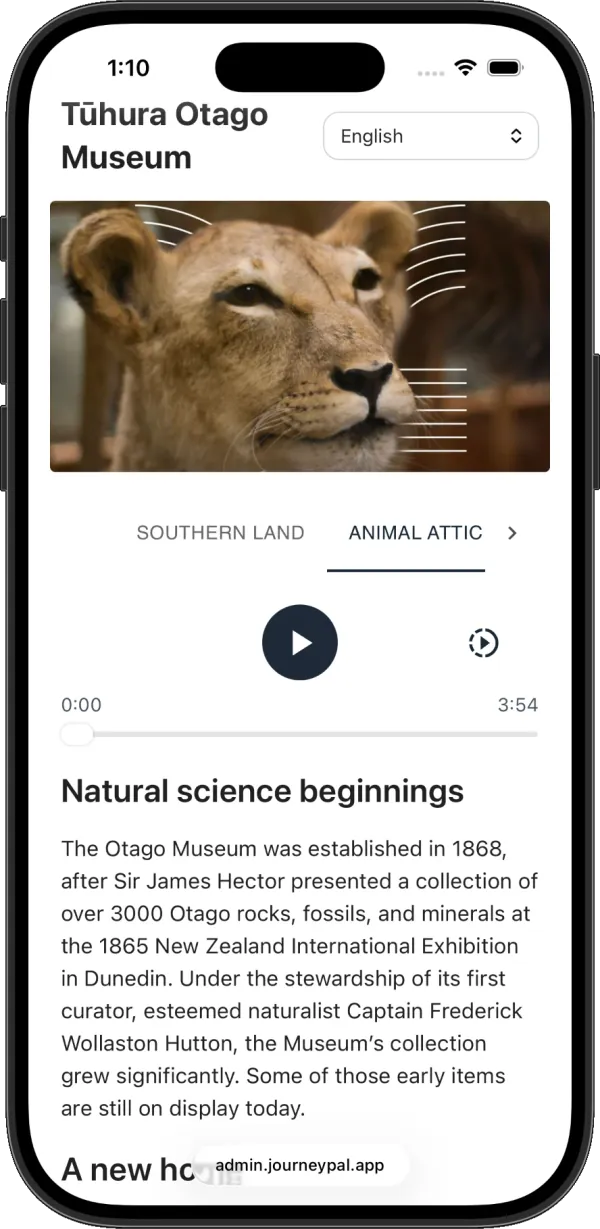
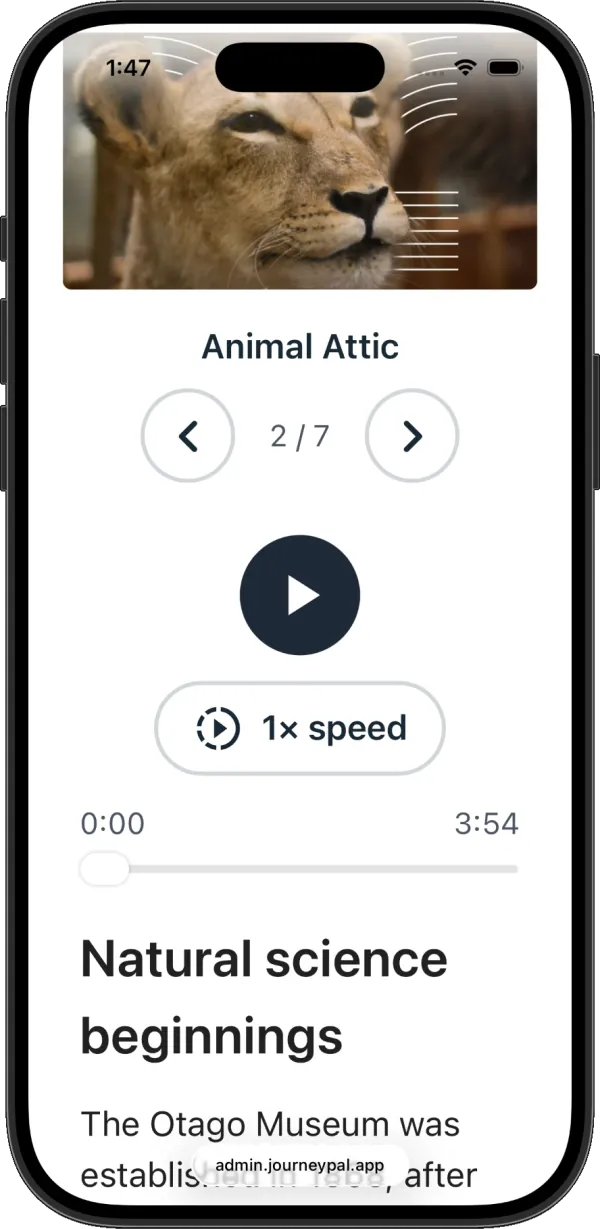
Every stop shows the written text and the audio on the same screen. Deaf visitors can read it, visitors with low vision or who find reading hard can listen, and many do both.
Text that follows the phone's settings
If a visitor has set larger text on their phone, the guide uses that size automatically on iPhones and on Android phones running a recent version of Chrome. At the largest sizes it switches to a simpler layout with bigger buttons.
Listening at their own pace
A large play button, a bar to skip back or forward, and playback speed from half speed to double speed.
Languages
Opens in the visitor's language
The guide checks the language the phone is set to and opens in it when the museum offers it, so most visitors never touch a setting.
One switch for text and audio
A single menu at the top of the page changes both the text and the audio, across every language the museum publishes from 35 available.
The same guide for everyone
Nobody has to ask
There is no separate accessible version to request at the front desk. Scanning the code is what every visitor does, so nobody has to say they need something different.
No handsets to hire or return
Visitors use their own phone, which is already set up the way they need it.
What this does not solve
Journey Pal makes interpretation easier to reach. It does nothing for step-free entry, seating, hearing loops or staff training, which are usually the bigger part of an access plan. Keep object names, safety notices and wayfinding in print for visitors without a working phone, and mount codes at a height that can be scanned from a wheelchair.
Go deeper
Frequently asked questions
Do visitors need to download an app or create an account?
No. Scanning the code opens the guide in the phone's browser, on the exhibit the code belongs to, with no app, sign-up or password.
How do audio guides help visitors with disabilities?
Audio removes the need to read small print in difficult lighting, which helps visitors with low vision and visitors who find reading hard for any reason. Because Journey Pal shows the written text alongside the audio, deaf and hard of hearing visitors get the same content without needing sound.
Does the text get bigger for visitors who need it?
Yes. If a visitor has set larger text on their phone, the guide uses that size automatically on iPhones and on Android phones running a recent version of Chrome. At the largest sizes the controls switch to a simpler layout with bigger buttons.
Do Journey Pal guides include transcripts?
The text is not a separate transcript, it is the source. Every stop is written as text and the audio is generated from it, so the two can never drift apart and there is no extra file for staff to maintain.
Does this make our museum accessible?
It addresses one part of it. Journey Pal helps with access to interpretation and information. It does nothing about step-free entry, seating, hearing loops at a front desk, or staff training, and any supplier who tells you their product makes a museum accessible is overselling.
Working on an access plan?
Interpretation is usually the cheapest part of one to improve, and the part that reaches the most visitors per pound spent. Happy to talk through what it would take at your venue.